LTI Setup Checks
These pages help you validate LTI readiness and confirm the values used during LMS registration, without exposing secrets.
Integrations
- Readiness checks: confirms whether key integration settings are present
- Configured platforms: shows registered LTI platforms and the most recent launch time
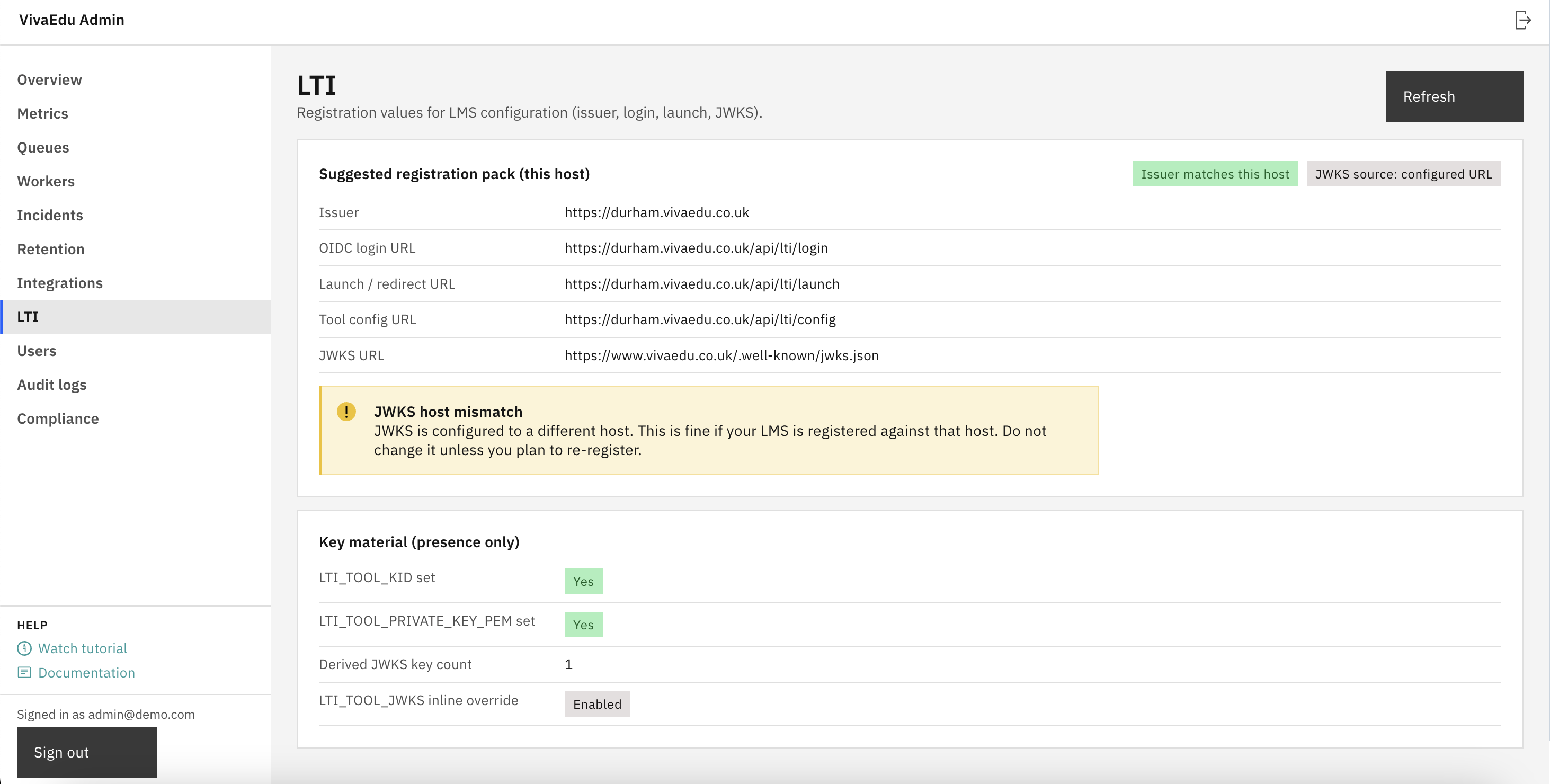
LTI self-check
The self-check page lists the issuer, OIDC login URL, launch URL, tool config URL, and JWKS URL for the current host. These values are used by the LMS when registering VivaEdu as an LTI 1.3 tool.
JWKS endpoint
The JWKS endpoint publishes the public signing keys used to validate LTI launches. It is served from /.well-known/jwks.json on the institution host (unless explicitly overridden during setup).
Comments
Leave a comment, question, or feedback. Comments are public — please don’t include personal data.